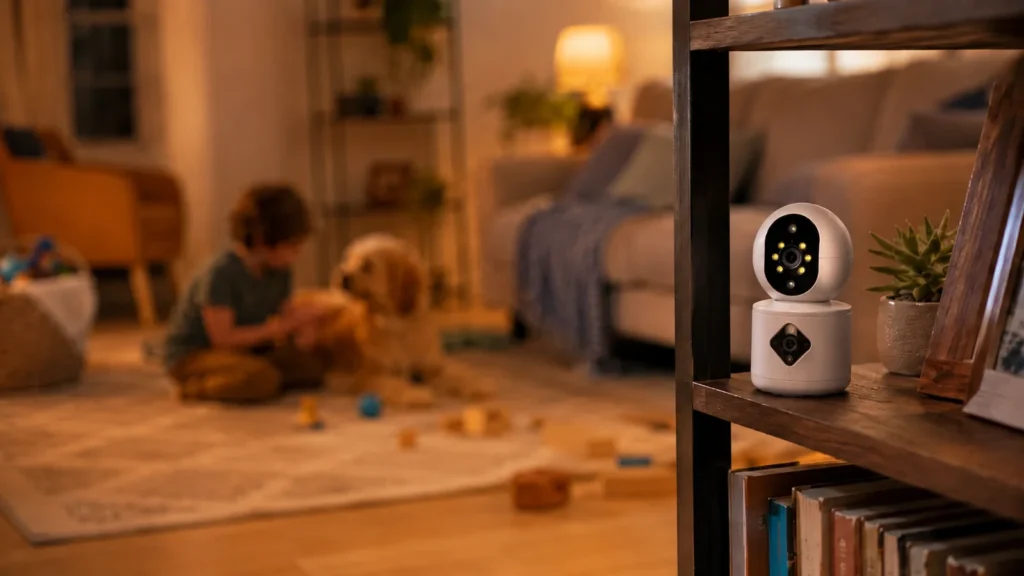
Most security cameras can record video. That is no longer enough to make a product feel different. The real shift is from a camera that notices motion to a camera that understands what kind of event happened. For buyers, that means fewer useless alerts and a clearer reason to keep using the app. For sellers and distributors, it means a stronger product story than "2K resolution, night vision, two-way audio."
An AI security camera uses computer vision and event-recognition models to classify what appears in the scene. Instead of treating every moving shadow, tree branch, pet, or passing car as the same event, the camera can identify patterns such as a person, vehicle, pet, package, cry sound, or other supported event types depending on the model. A traditional security camera usually reacts to motion first and asks the user to sort out what mattered later.
That difference sounds technical, but the business result is simple: AI changes the alert experience. When a camera sends fewer irrelevant notifications and gives the user a more meaningful event label, the product feels more useful. That is what helps a camera listing stand out, supports better reviews, and gives brands room to build paid cloud or AI services around the device.
What is an AI security camera? The short answer
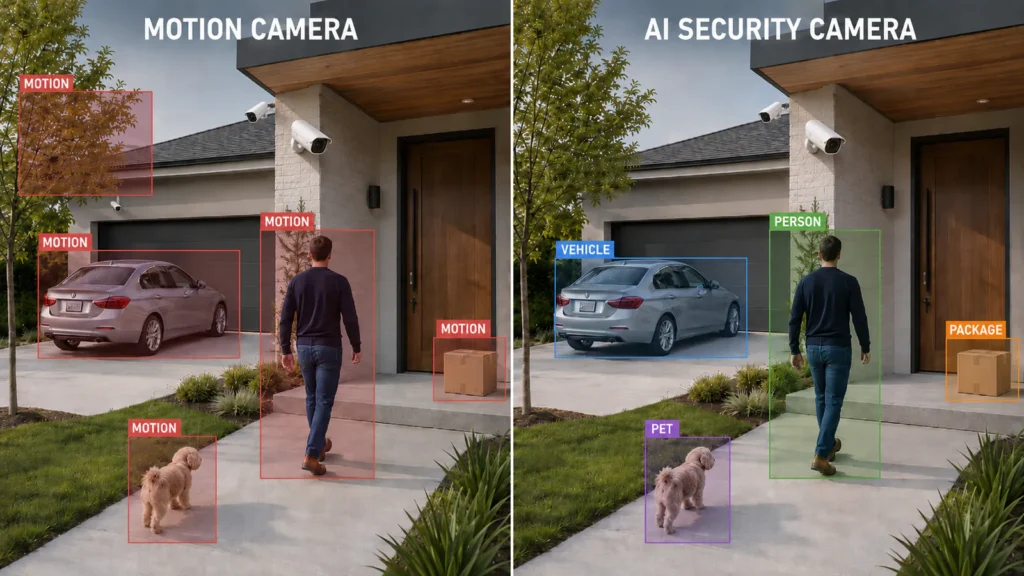
Traditional home security cameras usually start with motion detection. If pixels change in a monitored area, the camera records an event or sends an alert. This basic approach is useful, but it is easy to trigger. Rain, insects near the lens, headlights, curtains, moving leaves, and pets can all create events that look important to the algorithm even when a human would ignore them instantly.
An AI camera adds a second layer. It tries to classify the event before notifying the user. That classification may happen on-device, in the cloud, or across a hybrid architecture depending on the product and platform. The important point is not where the model runs; it is whether the camera can tell the difference between "something moved" and "a person walked to the front door."
This is why the category is moving from generic motion alerts toward smart detection. Google explains this shift in practical terms for Nest cameras: a camera has to analyze difficult home-camera footage, not just well-lit centered images, and may use scene understanding to recognize people, packages, animals, and familiar faces in supported configurations. TP-Link's Tapo camera line also positions AI detection around event types such as person, vehicle, pet, and package detection. Reolink describes smart detection as a layer that can tell people, vehicles, pets, or animals from other moving objects. The language differs by brand, but the market direction is consistent: cameras are being sold on what they understand, not only what they record.
That shift is also visible in market demand. SNS Insider, in a 2025 GlobeNewswire release, estimated the AI in video surveillance market at $4.54 billion in 2023 and projected it to reach $33.21 billion by 2032, with a 24.77% CAGR from 2024 to 2032. A buyer does not need to know those numbers to choose a camera, but B2B teams should understand the signal behind them: AI detection is becoming part of how security-camera products are evaluated, bundled, and sold.
For B2B buyers, this means AI is no longer a decorative feature. It is becoming part of the product expectation, especially for home entrances, driveways, storefronts, baby monitoring, elderly care, and other use cases where false alerts reduce trust.
AI security camera vs traditional security camera: practical comparison
| Buyer question | Traditional security camera | AI security camera |
|---|---|---|
| What triggers alerts? | Motion, sound, or schedule rules | Classified events such as person, vehicle, pet, package, cry, or supported scene events |
| What does the user receive? | A motion notification and clip | A more specific event label and clip |
| Main weakness | Too many alerts, weak context | Depends on model quality, camera angle, lighting, and configuration |
| Listing story | Resolution, night vision, WiFi, storage | Relevant alerts, smarter monitoring, app experience, value-added services |
| Best B2B use | Entry-level price-driven SKUs | Differentiated product lines, private label, cloud plans, higher-value bundles |
The table is deliberately practical. Buyers do not usually ask whether your model uses convolutional neural networks, edge inference, or a cloud classifier. They ask whether the camera will wake them up for a tree branch, whether it can tell them a package arrived, whether the app is easy to understand, and whether the product feels worth paying more for than a cheaper listing.
That is where AI creates commercial value. It turns a generic camera into a product with an experience claim.
Difference 1: AI security camera alerts vs traditional motion alerts
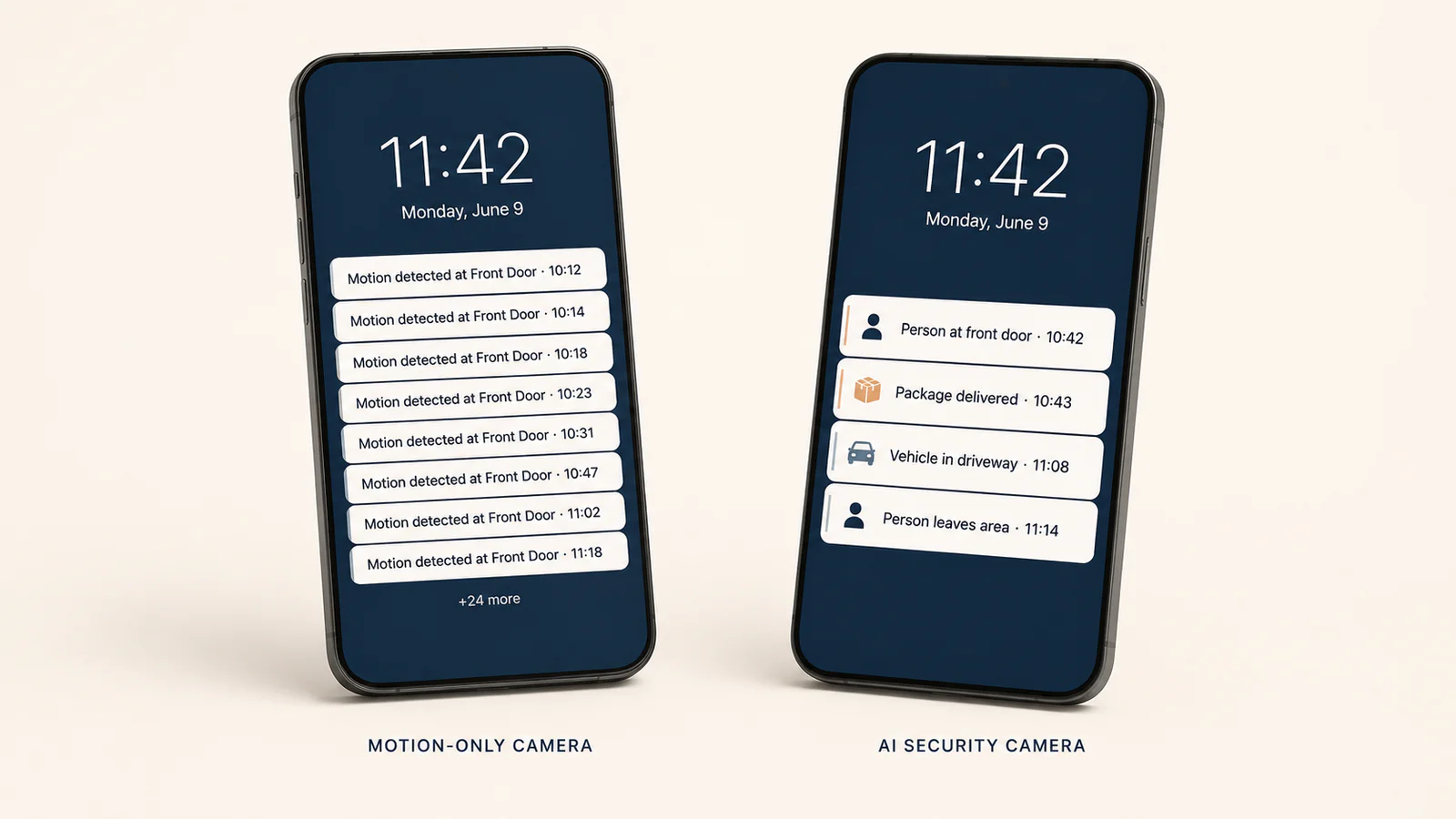
The most visible difference is the notification. Traditional motion detection often tells the user that movement occurred. AI detection can tell the user what type of movement occurred.
That distinction matters because the notification is the product's most repeated touchpoint. A buyer might look at the physical camera for five minutes during installation, but they live with the notifications every day. If the app keeps sending irrelevant alerts, the user learns to ignore the camera. If the app sends fewer but more meaningful alerts, the camera becomes a habit instead of a nuisance.
For example, an entrance camera can be positioned around person detection and package alerts. A driveway camera can be positioned around vehicle detection. A baby or family-care camera can be positioned around cry detection or activity-based monitoring where supported. A storefront camera can be positioned around people entering a defined zone. These are not just features; they are use cases that a seller can explain in listing images, comparison charts, short videos, and customer support scripts.
This is the first place where AI cameras beat ordinary cameras in the buyer's mind: the camera appears to understand the situation instead of blindly reacting to motion.
Difference 2: How AI cameras reduce false-alert fatigue
False-alert fatigue is one of the biggest hidden problems in the camera category. A buyer may tolerate a few extra alerts during the first week. After a month, repeated meaningless notifications can lead to the app being muted, the camera being unplugged, or the product getting a poor review.
AI cannot eliminate false alerts in every environment. Camera placement, lighting, network quality, sensitivity settings, reflective surfaces, and object distance all matter. A product page should never promise perfect detection. But AI can reduce the number of irrelevant alerts by filtering events against supported object categories and zones.
That creates a more honest product story:
- A traditional camera records motion.
- An AI camera tries to identify what caused the motion.
- A well-configured AI camera prioritizes the events the user actually wants to know about.
For e-commerce sellers, this distinction is useful because it creates better listing content. Instead of writing another generic bullet point about "motion detection," the seller can show three visual examples: person seen at the door, vehicle in the driveway, package delivered on the porch. Those examples are easier for buyers to understand than a dense specification table.
For distributors, false-alert reduction is also a support issue. Products that generate confusing alerts create more setup questions, more returns, and more complaints to local resellers. AI detection gives the channel a clearer training script: place the camera at the right height, define the zone, choose the target event type, then tune sensitivity based on the scene.
Difference 3: AI camera features make scenario packaging easier
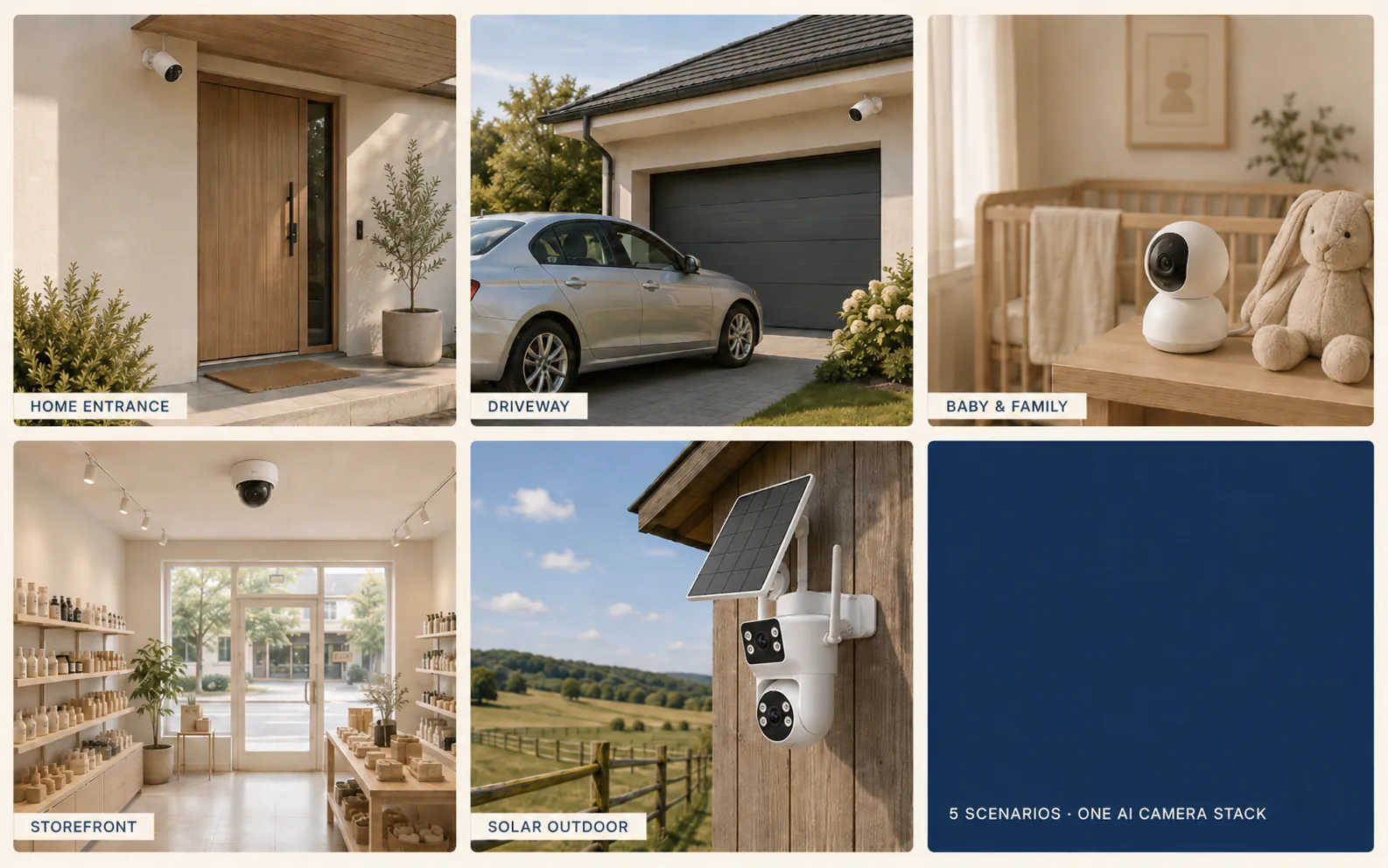
Ordinary cameras are often sold by form factor: indoor, outdoor, bullet, dome, PTZ, solar, doorbell. That classification is still necessary, but it does not tell the full story. AI allows brands to package cameras by scenario.
For example:
- Home entrance monitoring: person detection, package alerts, two-way audio, event clips.
- Driveway coverage: vehicle detection, outdoor night vision, weather-resistant housing.
- Baby and family care: cry detection, sound alerts, indoor PT control, privacy-friendly placement.
- Storefront monitoring: human detection in a defined area, activity events, remote review.
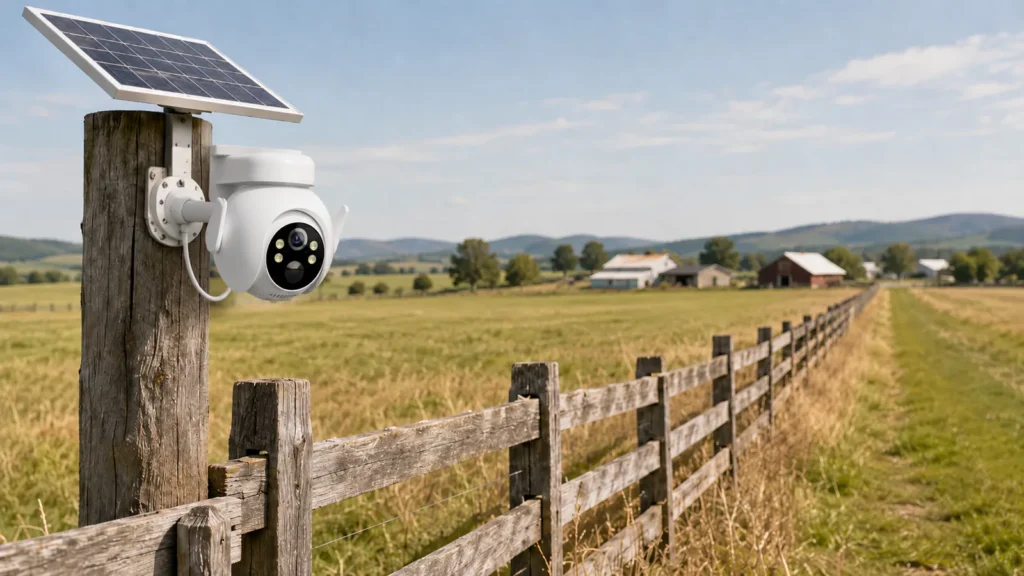
- Solar outdoor coverage: battery and solar support, outdoor AI detection, cloud event access.
This matters because marketplaces reward clarity. A buyer searching for a camera does not always know which chipset, lens, or sensor they need. They know the situation they want to solve. AI lets a seller describe the situation more directly.
That is also why AI cameras connect naturally to product-line planning. A brand can build a range around use cases rather than only around price tiers. An outdoor AI model such as the FLC-800PO 6MP AI camera can be positioned for entrances, driveways, and outdoor perimeter coverage. A solar model such as FLC-900PS can be positioned for locations where wiring is harder. The point is not just to show more SKUs; it is to make each SKU easier for a buyer to understand.
Difference 4: Why AI camera features help e-commerce sellers
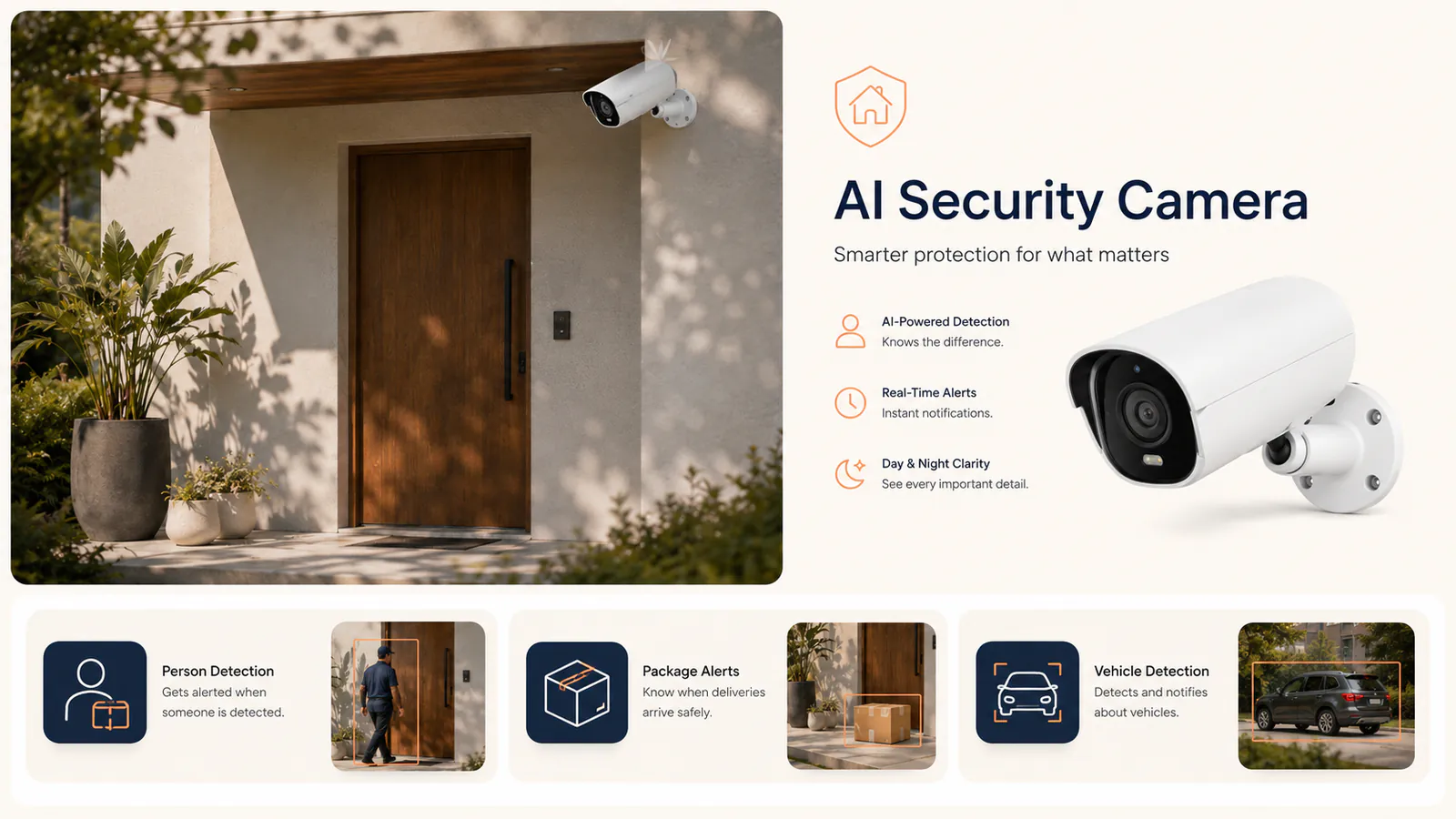
AI features are easier to show than many hardware features. A sensor size or compression format is hard to explain in one image. A detection box around a person, vehicle, or package is instantly understandable.
That is why AI cameras need different marketing assets from ordinary cameras. A plain product render is not enough. The seller should show the camera in a real scene, then overlay the event label in a way that makes the benefit obvious.
The best visual set usually includes:
- A scene image showing a person, package, vehicle, pet, or child-care scenario.
- A detection overlay showing what the AI recognized.
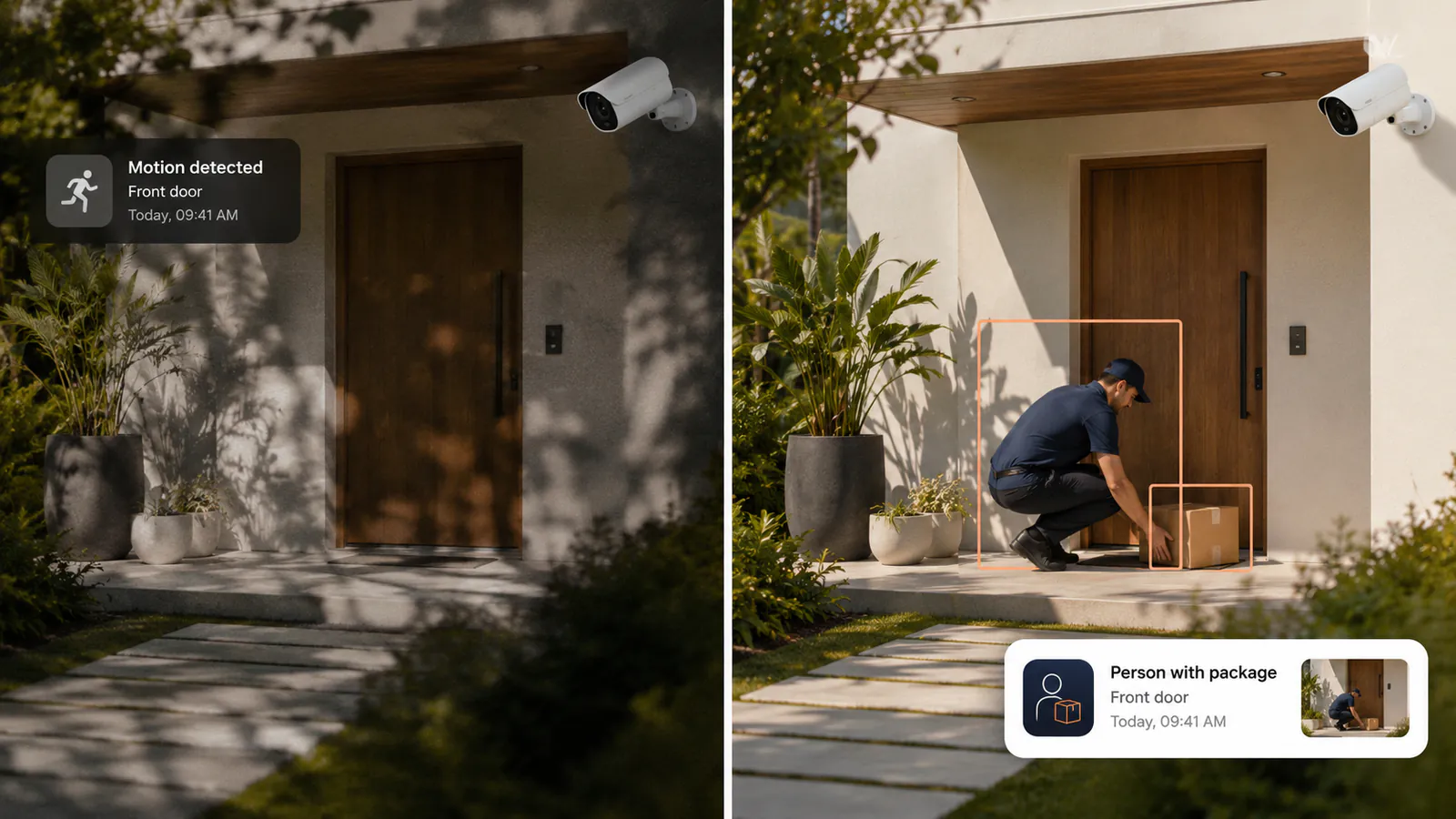
- An app notification mockup showing the buyer what they receive.
- A comparison frame showing ordinary motion alert vs AI event alert.
- A short video showing the event sequence from detection to app notification.
This is especially important for e-commerce sellers because AI is not always visible in the product photo. A buyer looking at a white camera body cannot tell whether it has useful detection logic. The listing has to make the intelligence visible.
For B2B buyers, the same logic applies to distributor decks, private-label proposals, and sales training. A buyer deciding between two suppliers may not remember every specification. They will remember a clear scene: "person at the door detected," "package delivered," "vehicle in driveway," or "baby crying alert."
Difference 5: AI security cameras can support cloud and subscription services
AI cameras can also change the commercial model after the sale. A traditional camera is often a one-time hardware sale. An AI camera can support services such as cloud event storage, richer alert history, AI event filters, and higher-tier monitoring features depending on the platform.
This does not mean every AI camera automatically creates subscription revenue. The app, cloud, billing flow, local-market payment methods, and brand terms all need to be designed. But the product category has a natural reason for recurring services: the camera keeps creating useful events after the buyer installs it.
For private-label brands, this is where the platform decision becomes important. If the camera runs through a generic third-party app, the brand may have limited control over the paid plan experience. If the brand works through a white-label AI and cloud platform, it can discuss how the app, cloud clips, AI services, and customer touchpoints should appear under its own brand.
This connects directly to the first article in this series, Public Mold vs Private Mold AI Cameras. Hardware differentiation helps a seller stand out on the listing. AI and cloud differentiation help the brand stay connected to the customer after the box is sold.
What B2B buyers should evaluate before choosing an AI camera supplier
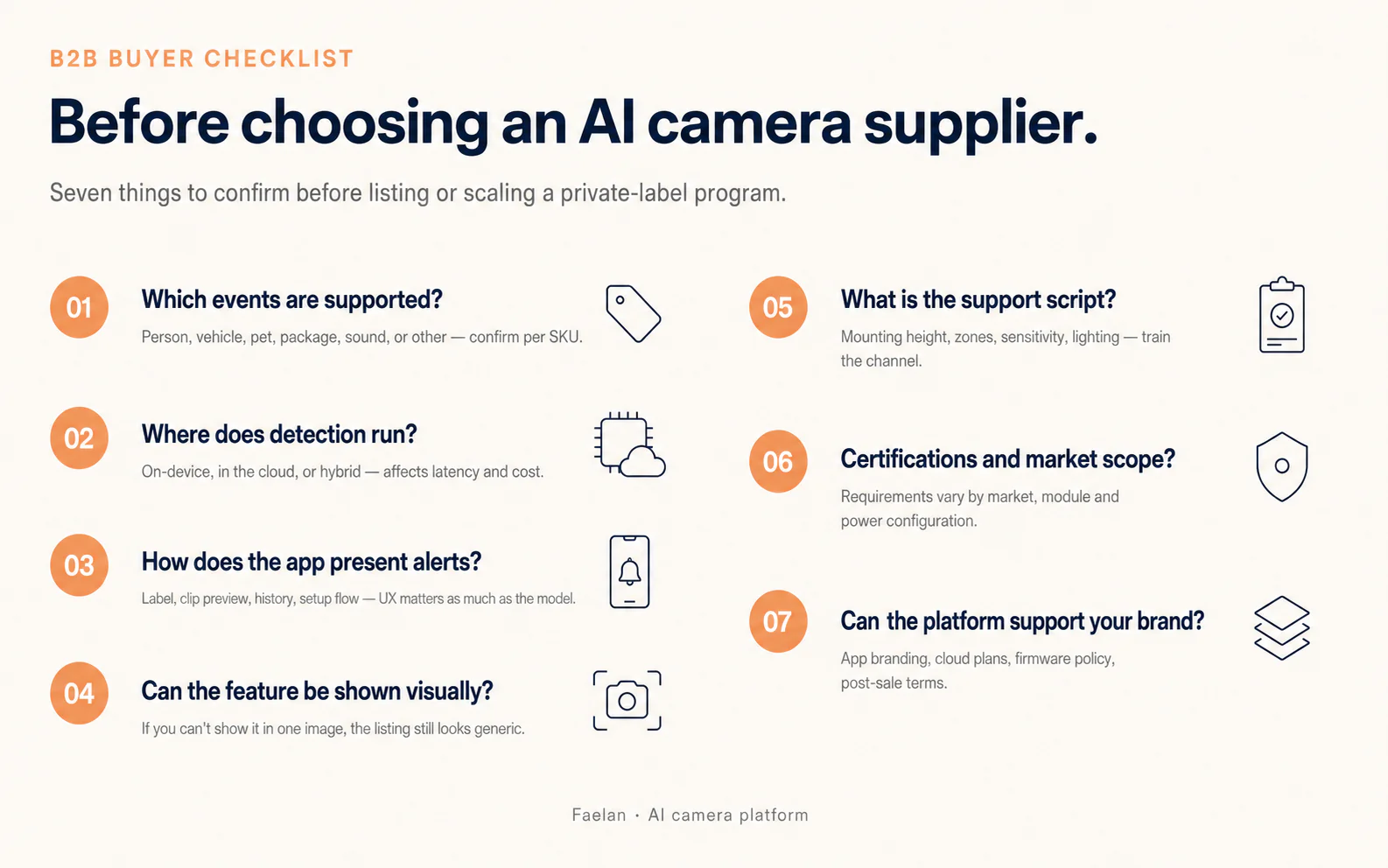
Not every AI camera is equal. A supplier can put "AI detection" on a slide, but the buyer still needs to evaluate the product as a system. Use this checklist before selecting a model or building a private-label program.
- Which events are supported? Confirm whether the model supports person, vehicle, pet, package, cry, sound, or other event types. Do not assume every event type is available on every SKU.
- Where does detection run? Ask whether the feature runs on-device, in the cloud, or as a hybrid model. This affects latency, privacy expectations, subscription design, and cost.
- How does the app present alerts? The notification label, clip preview, history view, and setup flow matter as much as the model itself.
- Can the feature be explained visually? If the AI benefit cannot be shown in one product image or short video, the listing may still feel generic.
- What is the support script? Buyers need guidance on mounting height, detection zones, sensitivity, lighting, and common false-alert scenarios.
- What certifications and market requirements apply? Certification scope depends on market, wireless module, power configuration, and product version. Confirm requirements before listing or shipping.
- Can the platform support your brand? For OEM and private-label programs, confirm app branding, cloud plan options, firmware update policy, and post-sale service terms.
This checklist keeps the discussion grounded. AI is valuable only when the camera, app, cloud, and support workflow work together.
How to explain AI cameras to end buyers without overpromising
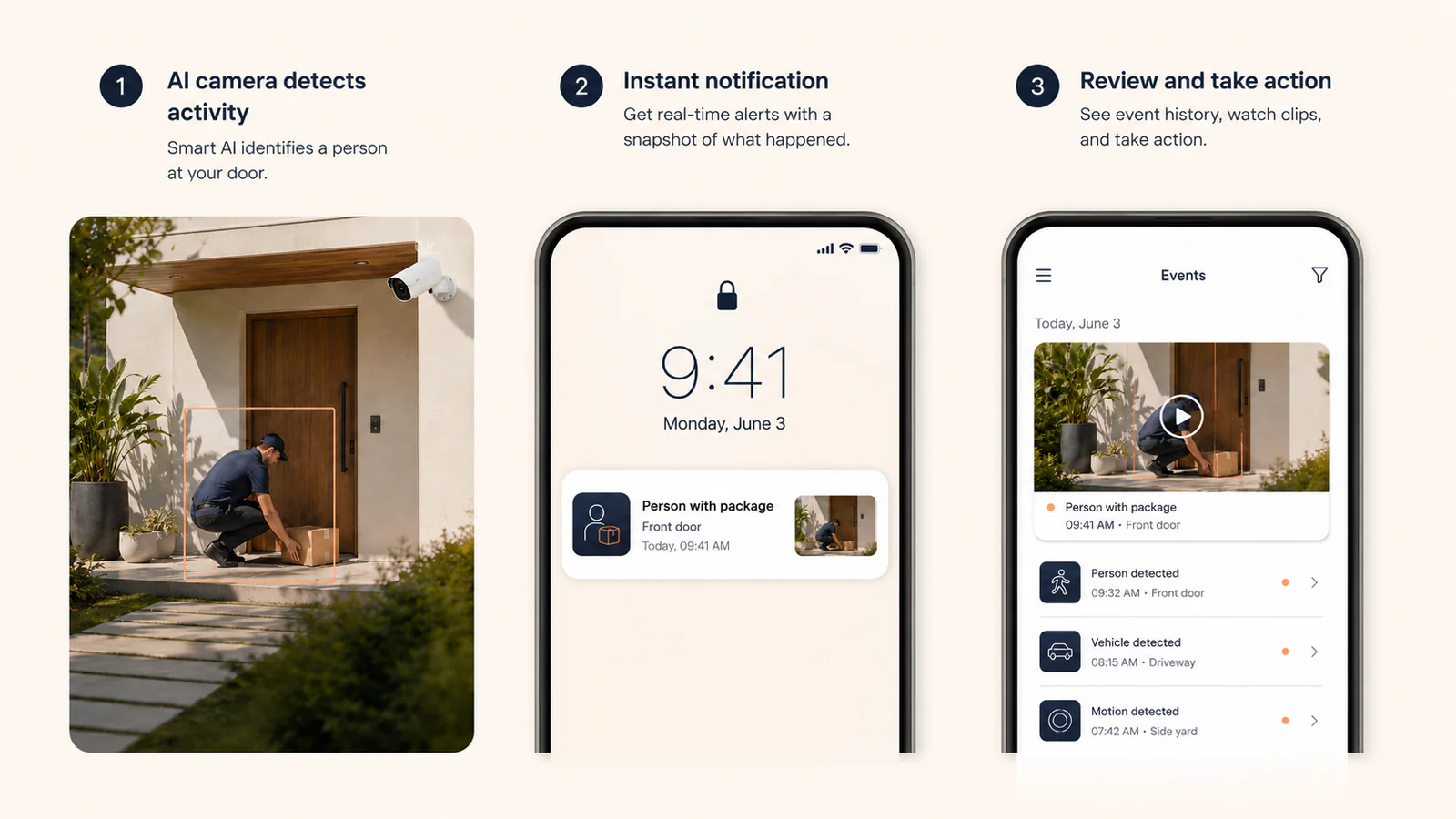
The safest way to sell AI cameras is to show concrete scenes and avoid absolute claims. Do not promise "no false alarms." Say the camera can help filter common irrelevant motion by focusing on supported event types. Do not say the camera understands everything. Say it can classify specific events such as people, vehicles, pets, packages, or sounds where the selected model supports them.
Good marketplace copy should follow this pattern:
- Scene: "Someone walks to the front door."
- Detection: "The camera identifies a person event."
- Notification: "The app sends a person alert with an event clip."
- Benefit: "The user checks what matters without scrolling through every motion event."
This structure works better than a generic claim like "Advanced AI technology." It also protects the brand from customer disappointment because it explains what the feature actually does.
For video, keep the story short. A 20-30 second clip can show a person approaching the door, a detection box appearing, a phone notification arriving, and the user opening the event clip. That is more persuasive than a long technical animation because it mirrors what the buyer will experience after installation.
Where FAELAN fits in the AI camera stack
FAELAN's role is not only to supply camera hardware. The stronger position is the combination of camera models, OEM branding, app/cloud planning, and AI-event presentation for brands and channel sellers. That full stack is what lets a buyer move from a generic hardware SKU to a clearer product line.
For a distributor, the value is easier channel education: each model can be positioned by use case, not only by price. For an e-commerce seller, the value is stronger listing content and a more defensible product story. For an OEM brand, the value is the ability to discuss app, cloud, AI, and post-sale experience alongside hardware.
The current FAELAN AI camera range includes indoor, outdoor, and solar models so buyers can map AI features to real placement needs. The right next step depends on whether you are testing a market, expanding a catalog, or building a branded platform.
Frequently asked questions
What is an AI security camera?
An AI security camera is a camera that can classify supported events in the scene, such as a person, vehicle, pet, package, or sound event, instead of only reacting to generic motion. Exact event types depend on the model and platform.
Is an AI camera better than a traditional motion camera?
For many home and small-business scenarios, yes, because AI detection can make alerts more relevant. A traditional camera may still be enough for basic recording, low-cost monitoring, or areas where every motion event should be captured.
Do AI cameras stop all false alarms?
No. AI can reduce irrelevant alerts, but it cannot guarantee zero false alarms. Camera angle, distance, lighting, sensitivity settings, reflective surfaces, and the supported event types all affect performance.
Does AI detection require a cloud subscription?
It depends on the camera and platform. Some detection may run on-device, while cloud clips, richer event history, advanced AI services, or branded plan features may require a cloud service.
What should e-commerce sellers show in product images?
Show the AI feature in context: a person at the door, a package on the porch, a vehicle in the driveway, or another supported scenario. Add a clear detection label and a phone notification mockup so the buyer understands the benefit quickly.
Can FAELAN support private-label AI camera programs?
Yes. FAELAN can discuss selected stock models, OEM branding, and white-label app/cloud/AI planning. Final feature scope, MOQ, certification, and commercial terms should be confirmed during program scoping. Contact the FAELAN product team to map the right model and platform path.